
After a night out
Log from your favourites
Add the drinks you had and see the day's standard-drink total without rebuilding your usual order each time.


DrinkData is a free alcohol tracker for iOS and Android. Keep a private drinking log, track standard drinks, and set alcohol-free goals. Core tracking works offline without an account.


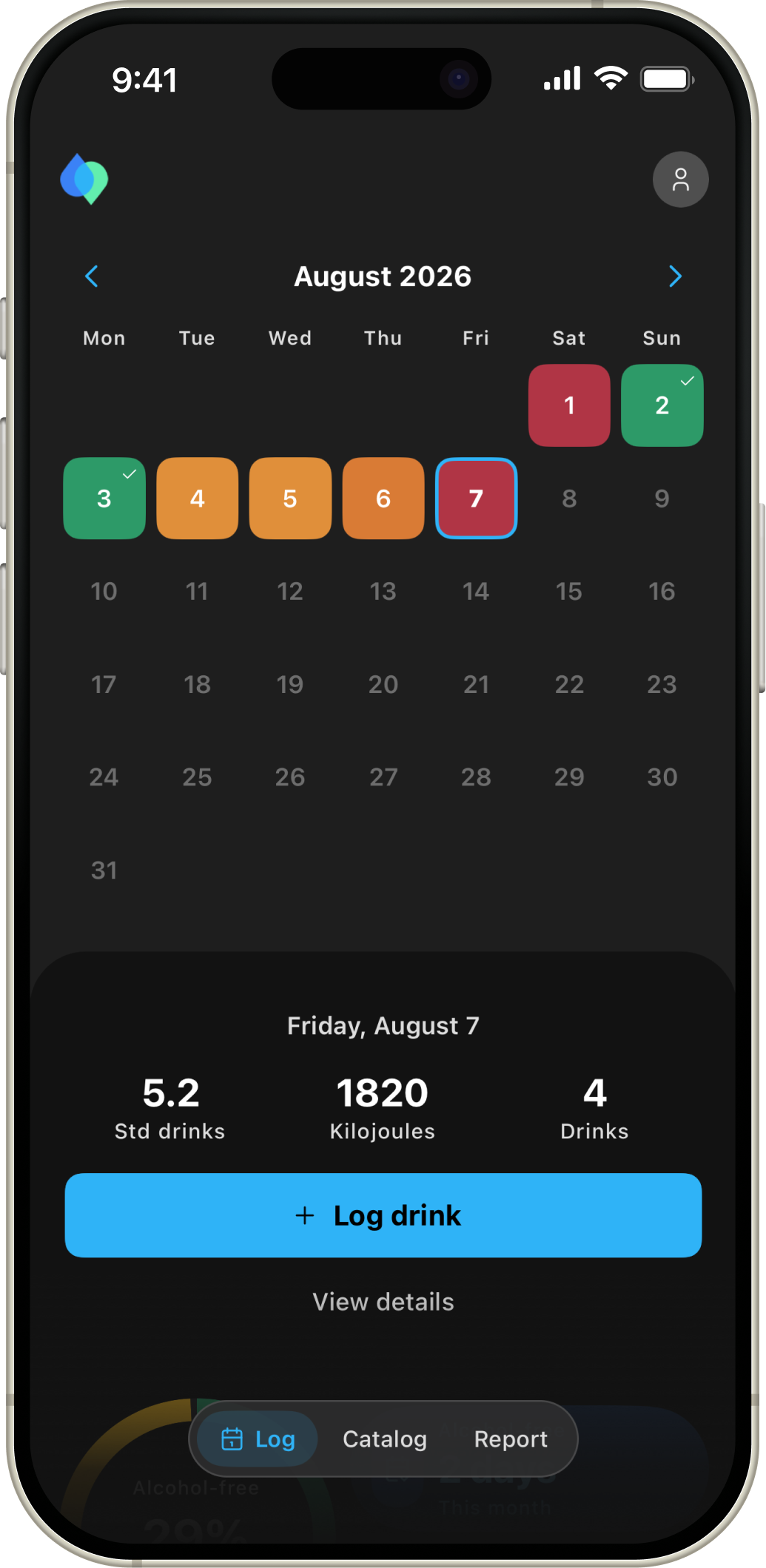
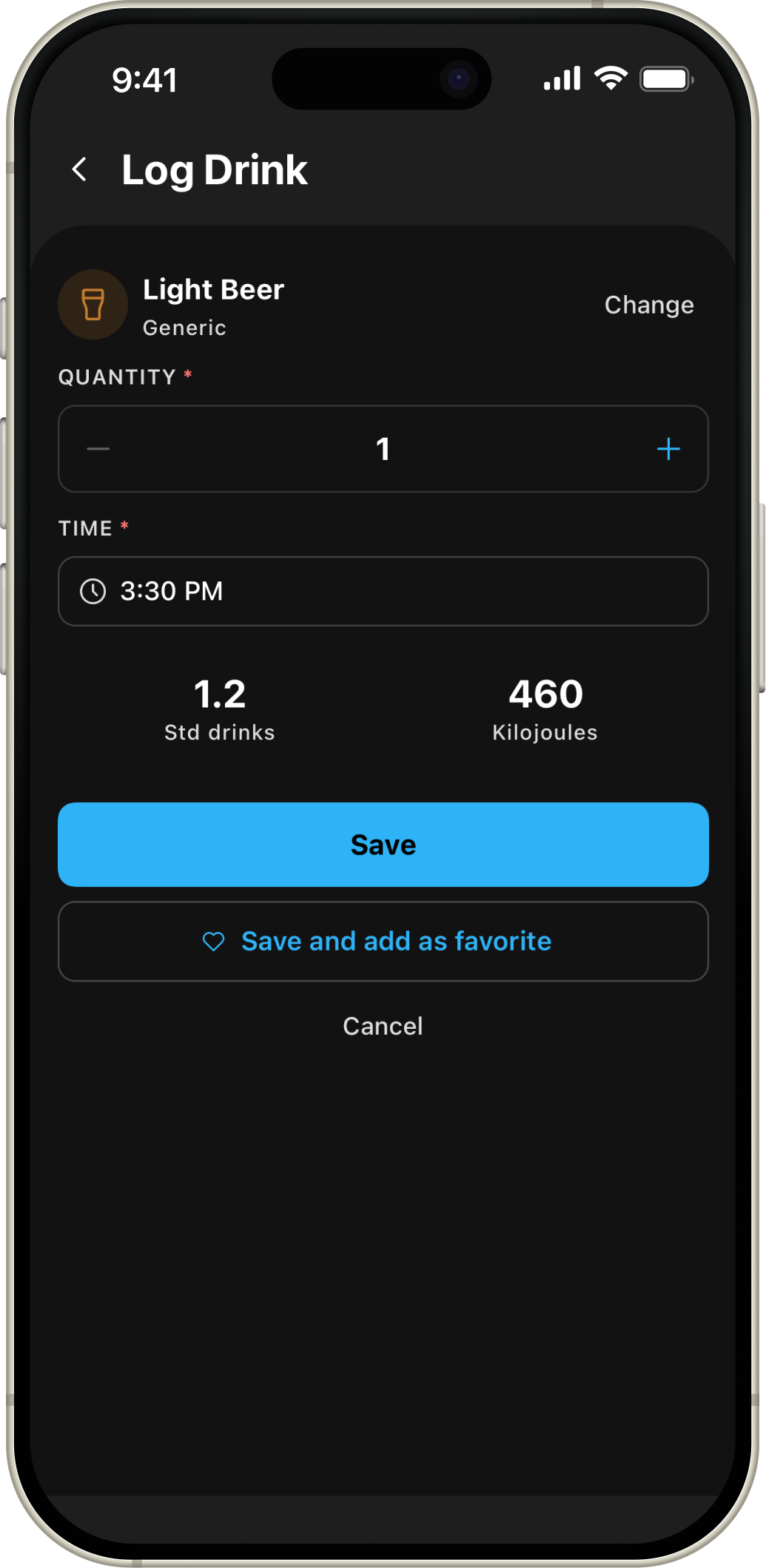
The calendar shows each day against your limit. Reports use the same history to show longer patterns and progress towards your goals.
Your drink history stays on your device. You do not need an account to log drinks or open the standard reports. Premium cloud backup is optional.
Set a daily limit and a weekly goal for alcohol-free days. The calendar and reports show how your history lines up with both.
Start with the included drinks or add your own with a serving size, ABV, standard drinks, and energy. Mark favourites so they are easy to find.
Simple ways to keep a private alcohol record, understand your patterns, and work towards the goals you choose.
After a night out
Add the drinks you had and see the day's standard-drink total without rebuilding your usual order each time.
At the end of the week
Compare drinking days, alcohol-free days, limits, and recorded totals in clear calendar and report views.
When privacy matters
Use core alcohol tracking without creating an account. Your drink history stays on your device by default.
Your regular drinks
Save the beer, wine, spirits, and serving sizes you actually drink, including ABV, energy, and standard drinks.
Planning the week
Choose a weekly goal and use the calendar to see how your recorded days line up with the plan you set.
Wherever you live
Choose Australian 10 g, US 14 g, or UK 8 g units so your records use the standard-drink system you know.
When you change phones
Premium backup and restore are available when you want them, while everyday tracking continues to work offline.
Keeping your own records
Premium CSV export gives you a portable copy of the history you recorded in DrinkData.
Find answers to the most common questions about DrinkData.
No. You can log drinks, use the calendar, set goals, and open the standard reports without signing in. You need an account to buy or use Premium and to sync profile settings.
Your drink entries and personal drink library stay on your device by default. If you sign in with email, Google, or Apple, DrinkData stores the account and profile details needed for those features. Premium cloud backup is optional.
Creating an account does not upload your drink history. Some profile settings can sync. With Premium, you can choose to back up your drink entries and custom drinks so you can restore them on another device.
Premium is a single purchase, not a subscription. It adds cloud backup and restore, CSV export, Year, All, and Custom report periods, more detailed report views, and advanced achievement badges. Logging, the calendar, goals, the drink library, and 7, 30, and 60-day reports stay free.
CSV export is a Premium feature in Settings. After signing in and buying Premium, you can save or share a copy of your data as a CSV file.
You can choose US (14 g), Australian (10 g), or UK (8 g) drink units in Settings. You can also choose kcal or kJ and ml or fl oz.
Reports use the drinks and alcohol-free days you record. Missing entries stay missing, so the report only reflects the history you have logged.
DrinkData has listings for iPhone and iPad on the App Store and for Android on Google Play. Store availability can vary by country.
Log drinks, mark alcohol-free days, and see your history in the calendar and reports.